
The growing suite of apps for Instagrams Stories means the potential for creativity is endless.
And while the content may be temporary, their impact isn’t. Instagram Stories offer social media marketers a golden opportunity to reach and engage with the more than half a billion users who watch Stories every day.
New to Instagram Stories or just struggling to get your Stories to convert? Read on for our favorite apps for Instagram Stories that can help you create beautiful, eye-catching content.
Bonus: If you’re looking for some inspiration for engaging Instagram posts, head over to our best Instagram apps blog.
19 apps for Instagram Stories marketers should know
1. Hootsuite
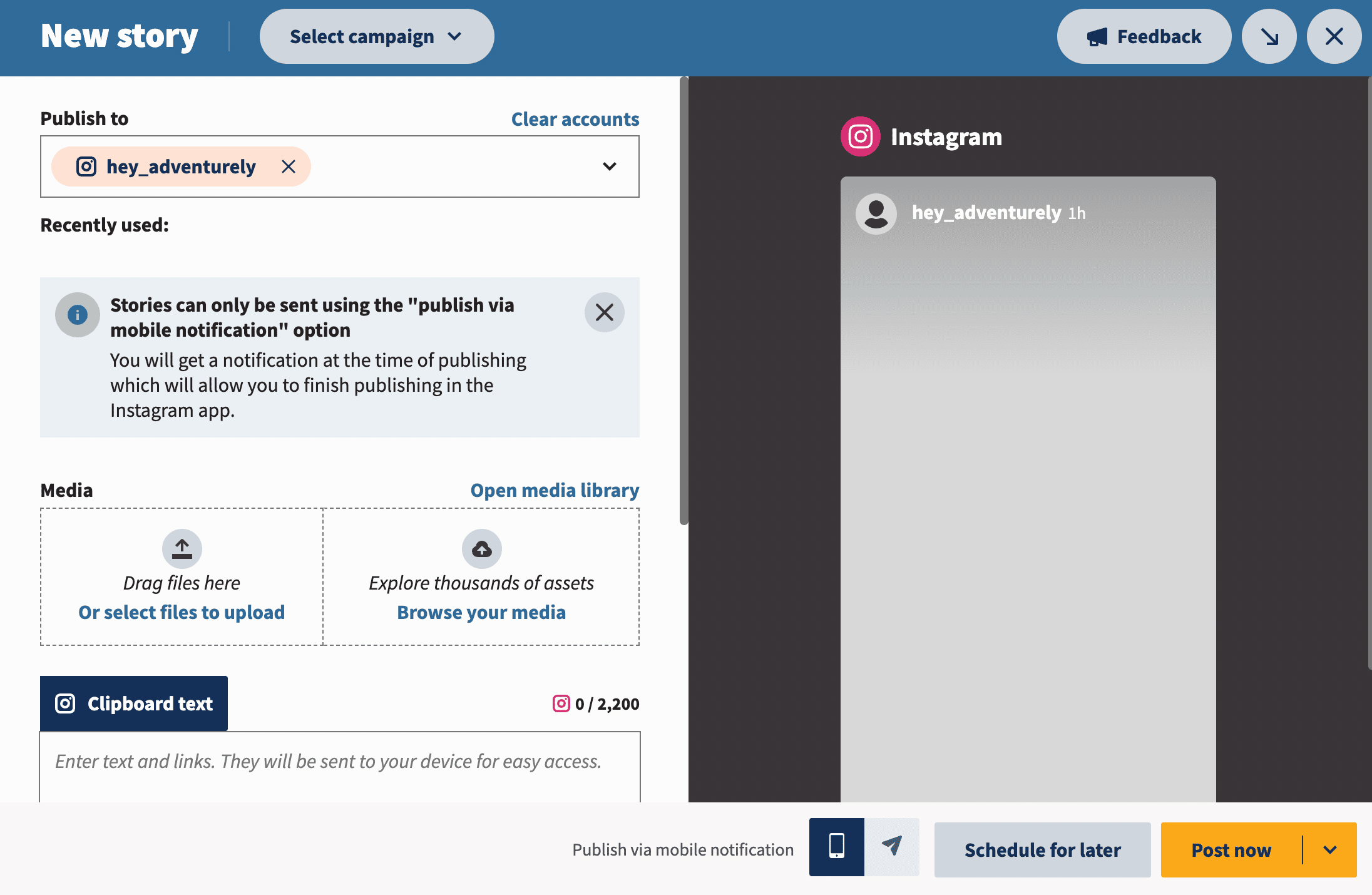
Best for: Scheduling your Stories
With Hootsuite, you can plan and create your Instagram Story content in advance, then find the perfect time to post it. Hootsuite’s Story scheduling feature even lets you schedule your Stories for later, so you’re always catching your audience at just the right time. Learn how to schedule Stories with Hootsuite here.
Key features:
Create content in advance to post at your own pace
Edit your images directly in the dashboard
Upload Stories from desktop or mobile
Price: 30-day free trial
Download: Desktop, iOS and Android
2. VSCO

Source: VSCO on Apple Store
Best for: Adding filters and edits to Stories
Often thought of as the gold standard for photo editing, VSCO offers professional-looking editing presets and highly detailed tools for adjusting color, texture, light, and perspective. High-definition RAW photos from your professional camera can be easily imported and tweaked on the go, so your Instagram Stories can look good even if your phone-tography skills aren’t perfect.
Key features:
10 free presets (200-plus available for paid subscribers)
Editing tools and textures
Video editing, including color control
Build montages with videos, photos and shapes
Price: Free, with paid premium features
3. Unfold
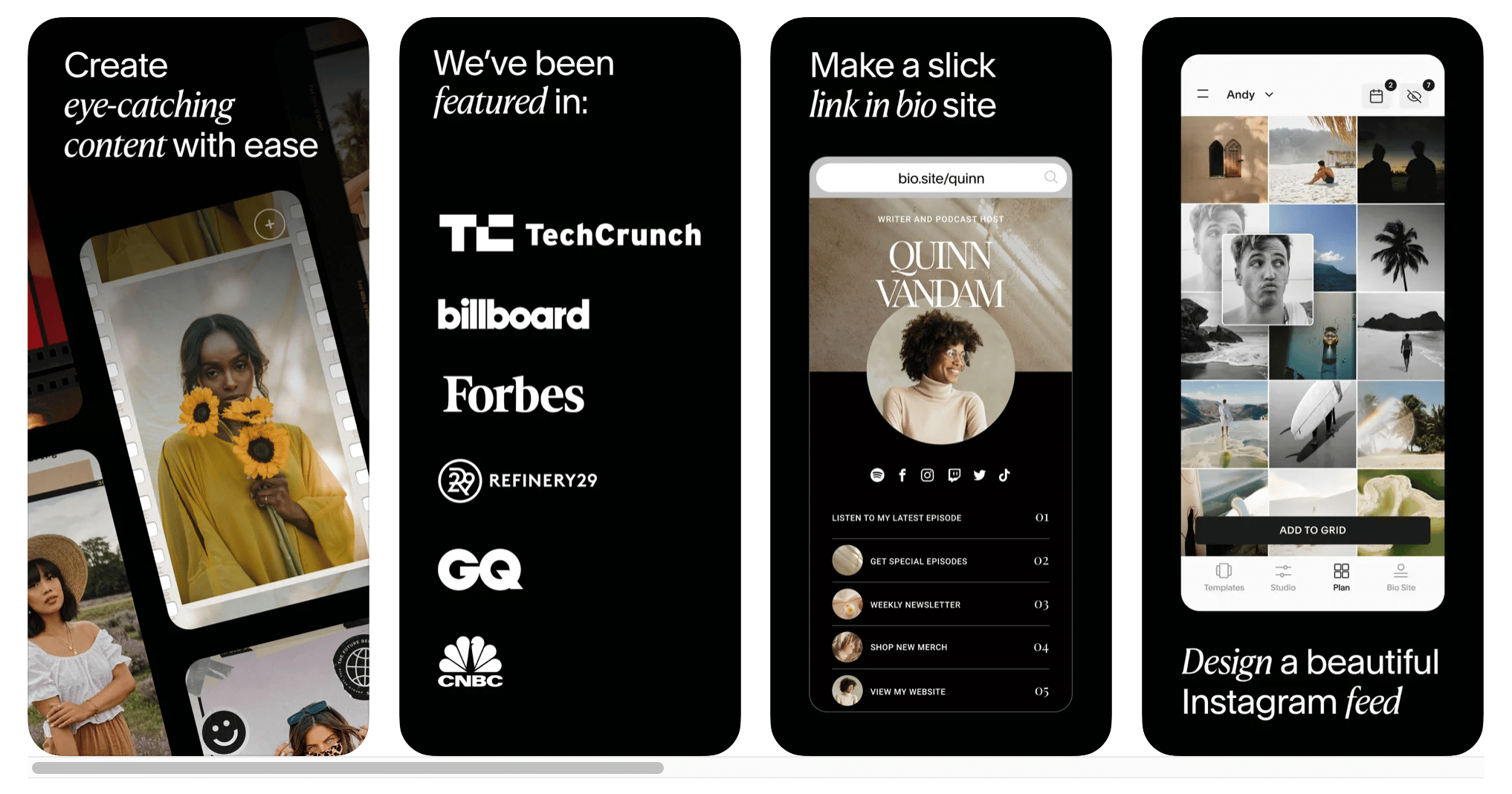
Source: Unfold on App Store
Best for: Creating a cohesive brand presence
Unfold bills itself as “a toolkit for storytellers.” This app for Instagram Stories features a variety of photo and text layout templates that make every Story look like a mini digital magazine. This Instagram Stories template app gives your content a cohesive look and feel.
Key features:
Over 200 template options (some paid)
Advanced text tools offer a variety of fonts and styles
Built-in photo-editing tools
For paid subscribers, early access to new templates
Price: Free, with paid premium features
4. Patternator
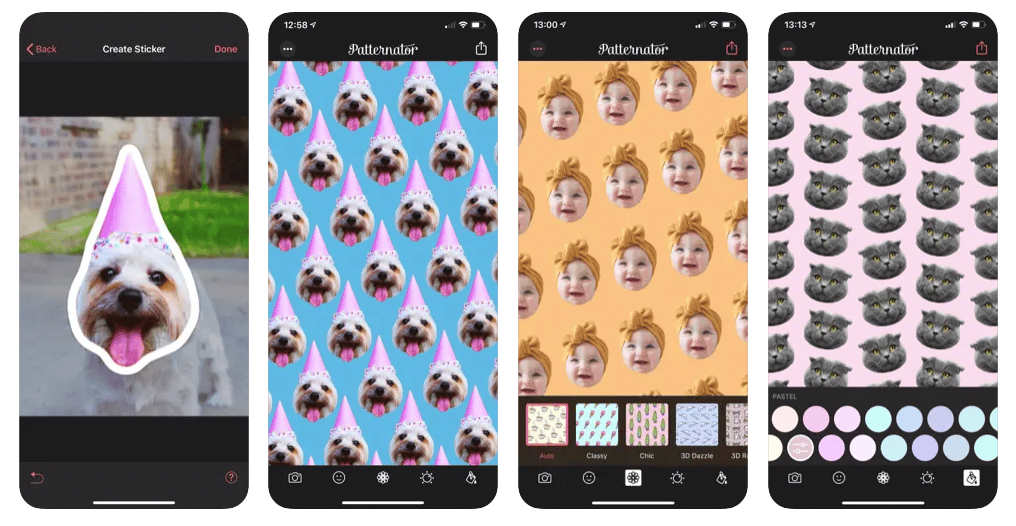
Source: Patternator on App Store
Best for: Adding animated backgrounds to Stories
Use this app for Instagram Stories to create playful animated backdrops for your stories using a library of GIFs and quirky images. Or, add your own photo stickers to really customize the experience. Patternator also lets you tweak the speed and movement of the cascading graphics to complete your delightfully dizzying personalized video wallpaper.
Key features:
23 pre-set animated templates, plus tools to tweak movement and layout
Export as a GIF, video, live wallpaper, or HD image
Share directly to Instagram
Price: Free, with paid premium features
5. Life Lapse
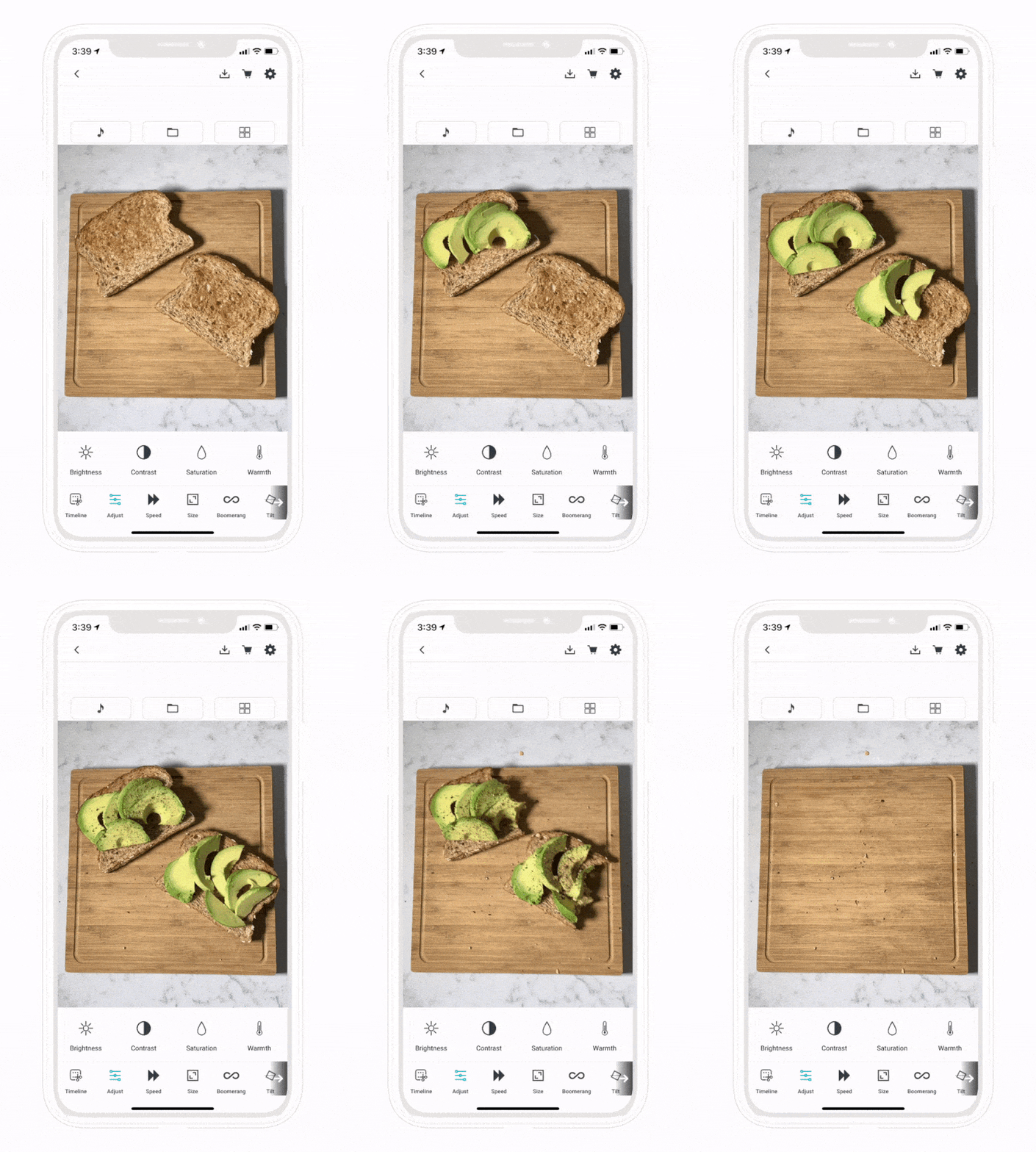
Source: Life Lapse
Best for: Attention-grabbing stop-motion videos
Become a stop motion sensation on Instagram! Life Lapse brings life to even the most inanimate objects. The app offers 50+ lessons and tutorials to help you create high-quality stop-motion videos. Plus, enter one of its Stop Motion Challenges to win prizes!
Key features:
Ghosted image overlaps for easy shooting
In-app video editing tools
Add music (premium only)
Interval timer and one-shot timer
Price: Free, with paid premium features
A post shared by Life Lapse: Stop Motion App & Tutorials (@lifelapse_app)
6. Storyluxe

Source: Storyluxe on App Store
Best for: Stylish photo collages for daaaays
Storyluxe is the perfect app for Instagram Stories that require a well-set vibe. The app’s 700 templates mimic the look of film strips or taped-together photos. Plus, make use of neon elements to add some serious punch.
Key features:
Custom branding watermark (premium only)
Themed templates: choose from categories like “paper,” “collage,” or “tape.”
Add text and patterned backgrounds
Export directly to Instagram Stories
Price: Free, with paid premium features
Download: iOS only
7. Motionleap
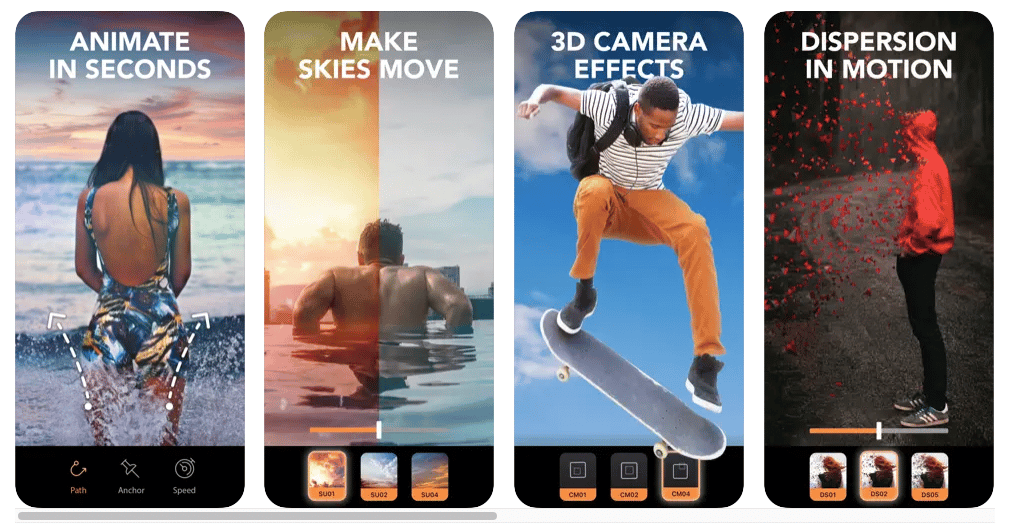
Source: Motionleap on App Store
Best for: Adding motion to static images
Can’t decide between photo and video? Motionleap offers the best of both worlds, animating static pictures to create dynamic ones. Add elements and overlays, then adjust the speed for customized movement.
Move the clouds in the sky, make hair blow in the wind like there’s a magic Beyoncé wind machine, whatever you want! Magic!
Key features:
Add moving elements to still photos with user-friendly functionality
Control movement, direction, speed, and style
Sky replacement technology and AI water animation
Price: Free, with paid premium features
8. WordSwag
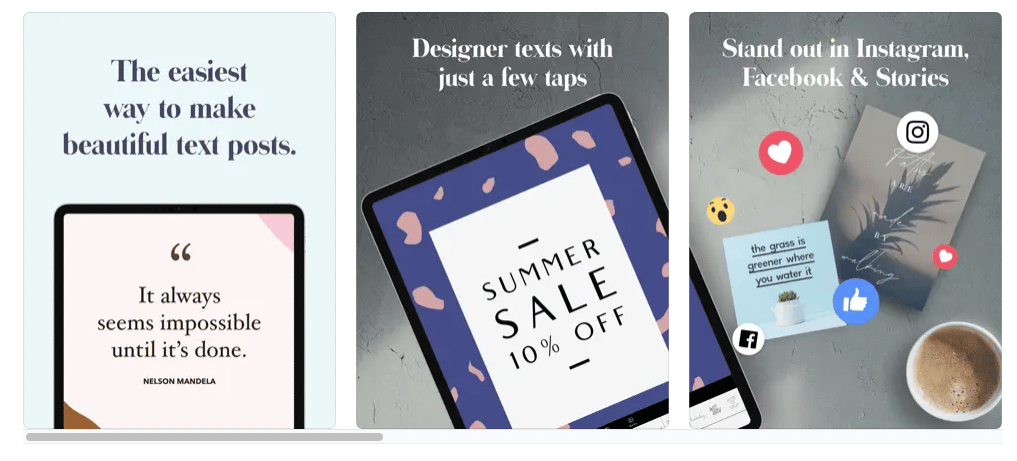
Source: WordSwag on App Store
Best for: Text overlays on images
They say a picture is worth a thousand words. But what about a picture with words on it? WordSwag is one of the best Instagram Story apps for layering beautiful typographic elements atop your photos for a stand-out blend of photo and text.
Key features:
80+ different fonts and typefaces (on pro plan)
1.3 million free backgrounds from Pixabay
Foil, stamp, and watercolor text effects
Trendy frames and layouts
Price: Free, with paid premium features
9. Boosted
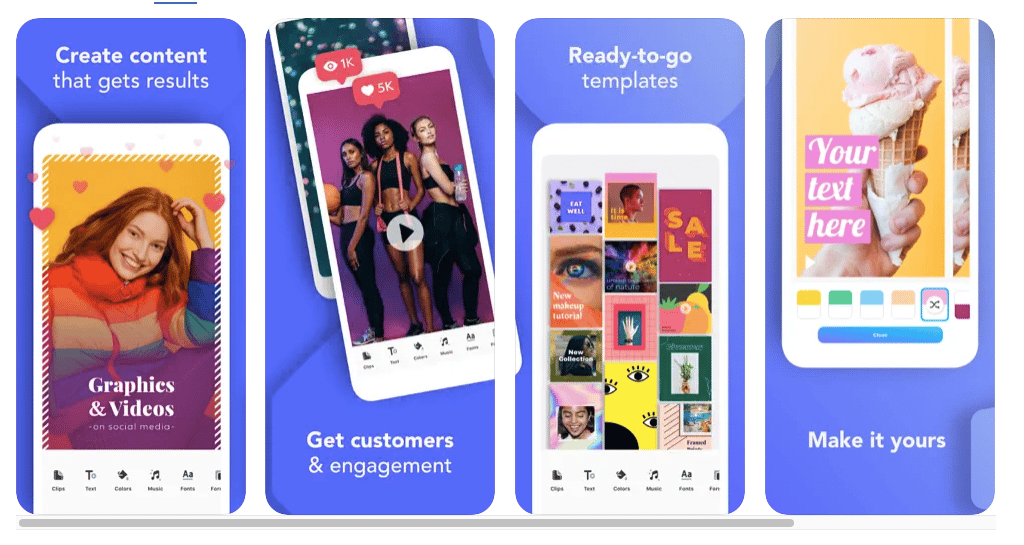
Source: Boosted on App Store
Best for: Eye-catching photo and video Stories
If you’re looking for an app for Instagram Stories that makes your content stand out, look no further. Boosted lets you craft sleek videos (tutorials, Q&As, whatever!) using eye-catching video templates. Plus, easily layer in text and music to really make your content pop.
Key features:
Stylish video templates
Add branded filters, fonts, music, and colour
Combine multiple video clips
Access the Getty Images video clip library
Price: Free, with paid premium features
10. Hype-Type
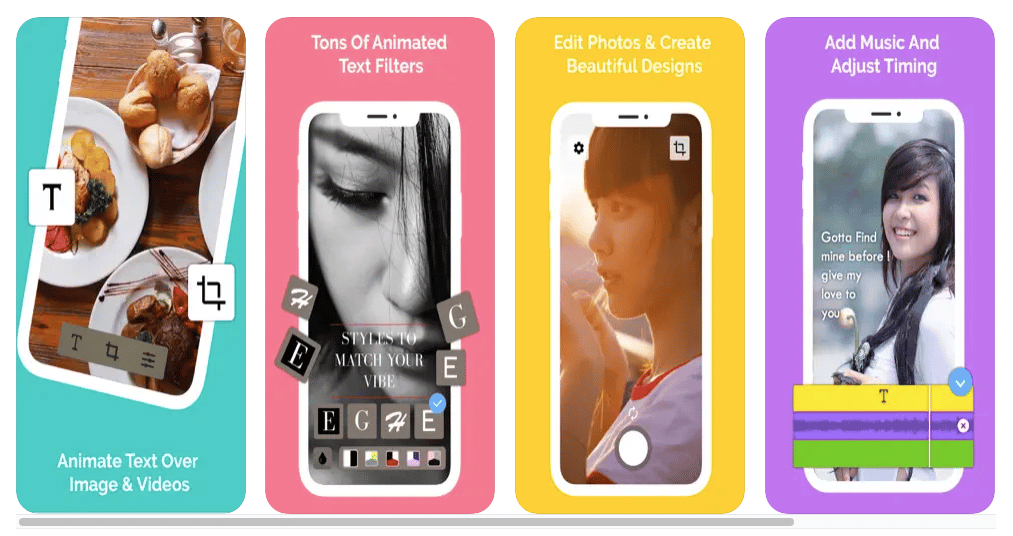
Source: Hype-Type on App Store
Best for: Adding animated text
Add a little drama to your copy with this video text animator. Flip it, reverse it, speed it up, slow it down: just get those words moving. Plus, Hype-Type can automatically generate interesting and meaningful quotes to give context to your Stories.
Key features:
Combine multiple video clips or apply to single photo or video shots
Control of text placement
A wide variety of font styles and animations
Price: First week is free, then $20 for the year
11. A Design Kit
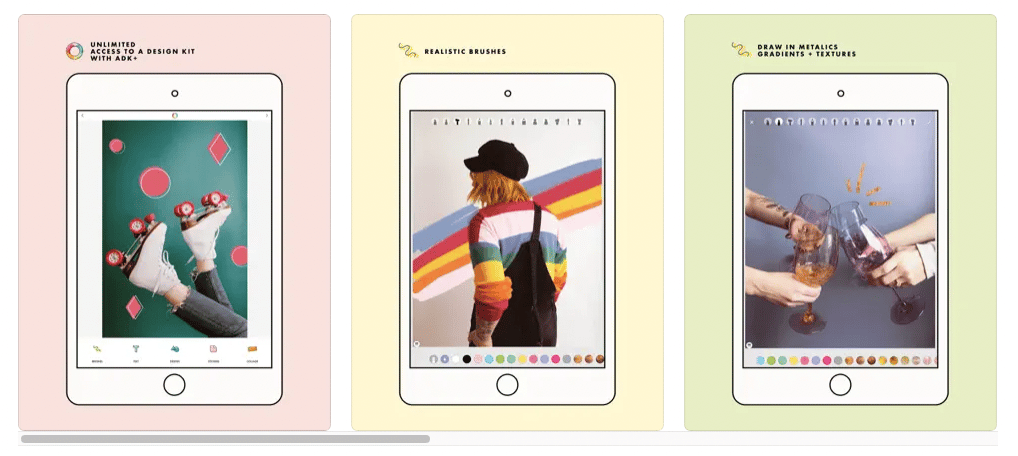
Source: A Design Kit on App Store
Best for: Adding custom elements to static images
When it comes to Instagram Stories, design matters. Between the brushes, the fonts, the design details, the collage templates and the stickers, A Design Kit might be your ultimate design toolkit. Its sister app, A Color Story, is a great companion if you’re looking for influencer-approved Insta filters and effects.
Key features:
Tons of fun custom stickers
60+ fonts and 200+ designs
Realistic brushes to add texture and color
Bold background options like metallics and marble
Price: Free, with paid premium features
Download: iOS only
12. Seen
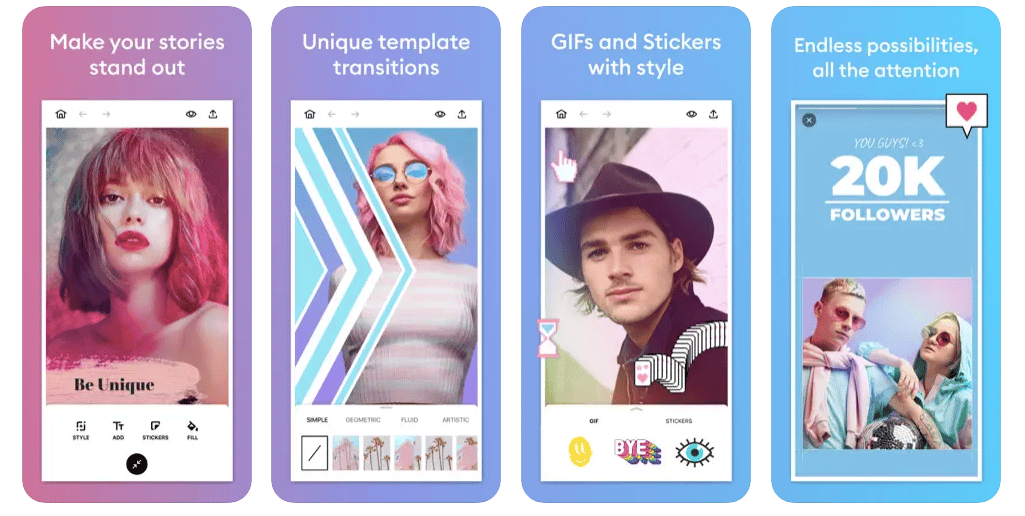
Source: Seen on App Store
Best for: Smooth video transitions
Seen comes from the makers of Facetune, so you know it’s all about flawless presentation. Though the app has templates and stickers, the real highlight is the dramatic transitions. Images dissolve into one another, text fades in and out, and photos slide away fluidly.
Key features:
Slick transitions
Trendy templates (including seasonal options)
A huge sticker library
Mix video and photo within the same layout
Price: Free, with paid premium features
Download: iOS only
13. Adobe Express
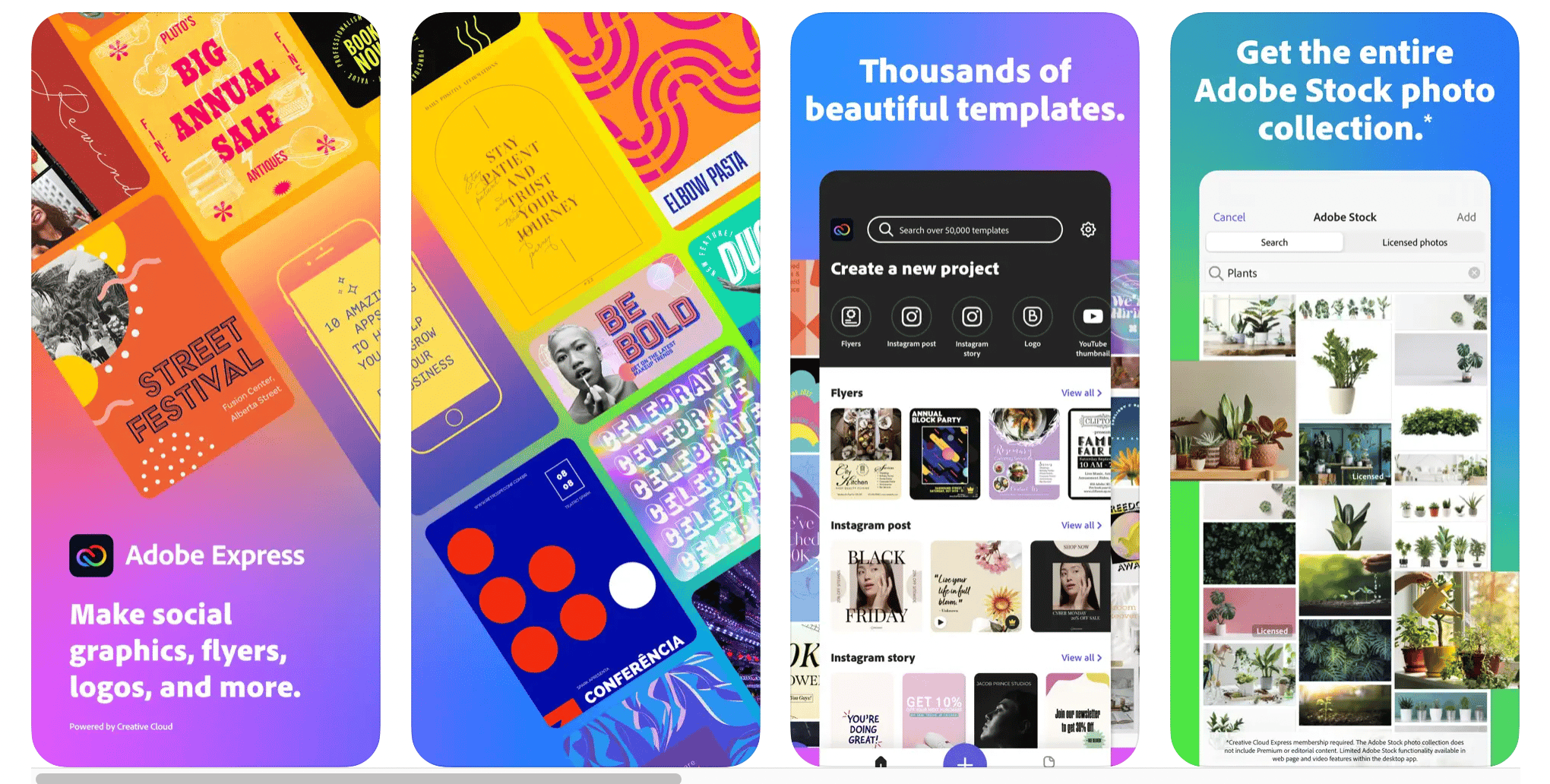
Source: Adobe Express on App Store
Best for: High-quality social media templates
Adobe Express gives you access to thousands of beautiful Instagram Story templates, plus free design tools to make them stand out. Simply choose a template, upload your brand assets, add custom text, and voila! You’ve got a social media template worth talking about.
Key features:
Remove background from images
Trim, resize, and animate videos
Add text effects
Share to any social platform
Price: Free, with paid subscription options
Download Adobe Express: iOS, Android, or Desktop
14. InShot
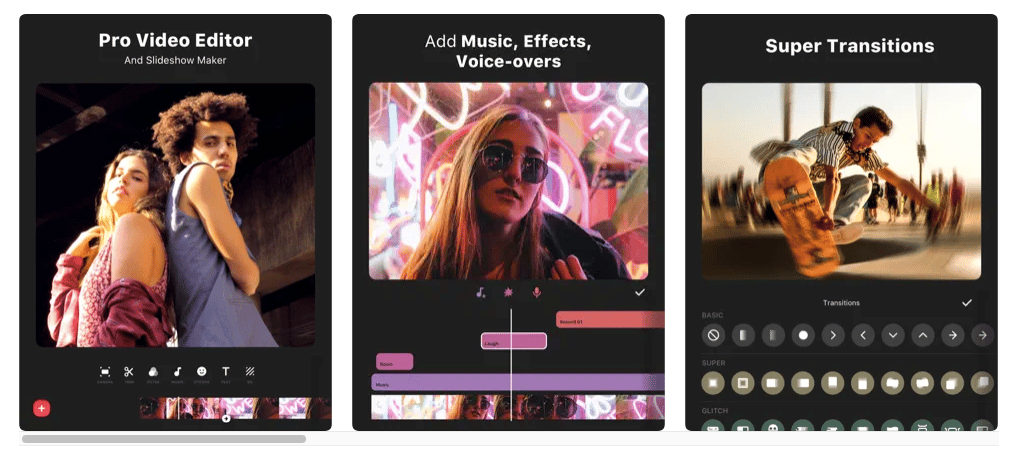
Source: InShot on App Store
Best for: High-quality video editing
InShot is a powerful Instagram Story editor app that helps you create professional-grade Stories with ease. From music to transitions, emoji to filters, blur backgrounds, speed editing, and more. InShot is your partner in cinematic excellence.
Key features:
Picture-in-Picture editing
Add motion to layers
Sound effects and voiceovers
Cinematic filters and transitions
Price: Free, with paid subscription options
Download InShot: iOS and Android
15. Filmm
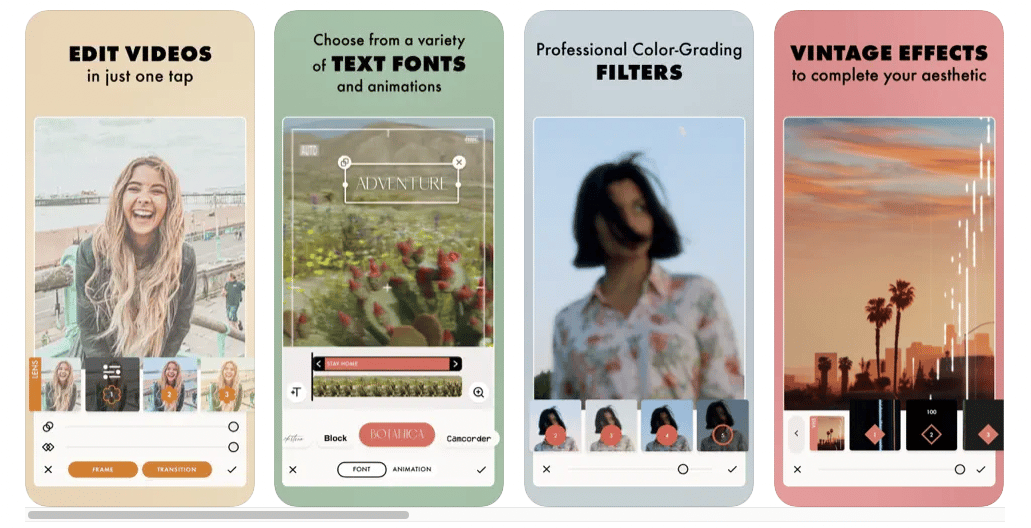
Source: Filmm on App Store
Best for: Super aesthetic video editing
Filmm lets anyone be a professional video editor. This app for Instagram Stories mixes professional film light effects, textures, and distortions with modern aesthetics. Your audience will be swooning when you’re done with them.
Key features:
30+ text animations
100 filters and effects
Story-specific cropping
Multi-clip editing
Price: Free, with paid subscription options
Download Filmm: iOS and Android
16. Tezza
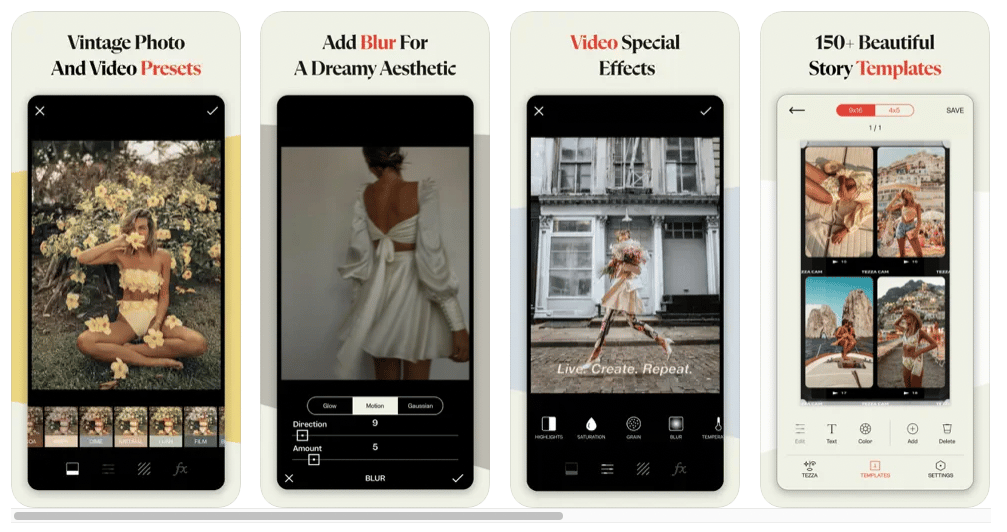
Source: Tezza on App Store
Best for: Aesthetic photo editing
While Filmm is your go-to for aesthetic videos, Tezza is where it’s at for aesthetic photos. Use this Instagram Stories filter app to create stunning, broody, and beautiful static photos that will bring your audience straight into your fantasy.
Key features:
40+ presets
Vintage photo effects
150+ templates
Texture and dimension overlays
Price: Free trial then $5.99 per month or $39.99 per year
Download Tezza: iOS only
17. Magisto
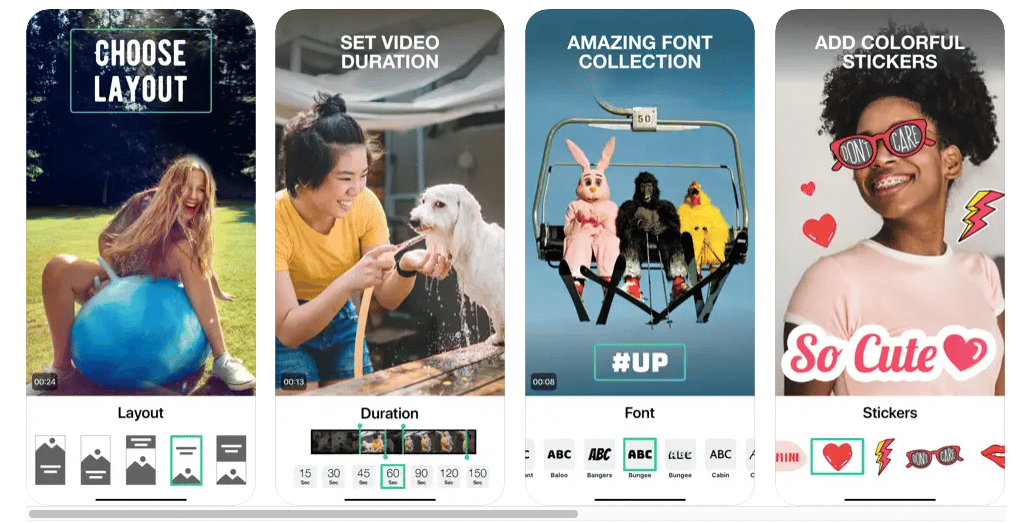
Source: Magisto Video Editor on App Store
Best for: AI-powered video editing
Magisto Video Editor & Maker uses artificial intelligence to select the best parts of your video and edit it to perfection. Sit back, relax, and let the robot do the work. With just a few clicks, Magisto’s Instagram Story editor app will create scroll-stopping Instagram Stories worthy of new audience engagement.
Key features:
Custom templates and stickers
AI smart editor
Add text, font, and color
Photo slideshow and collage options
Price: Free, with paid subscription options
Download Magisto: iOS and Android
18. GoDaddy Studio
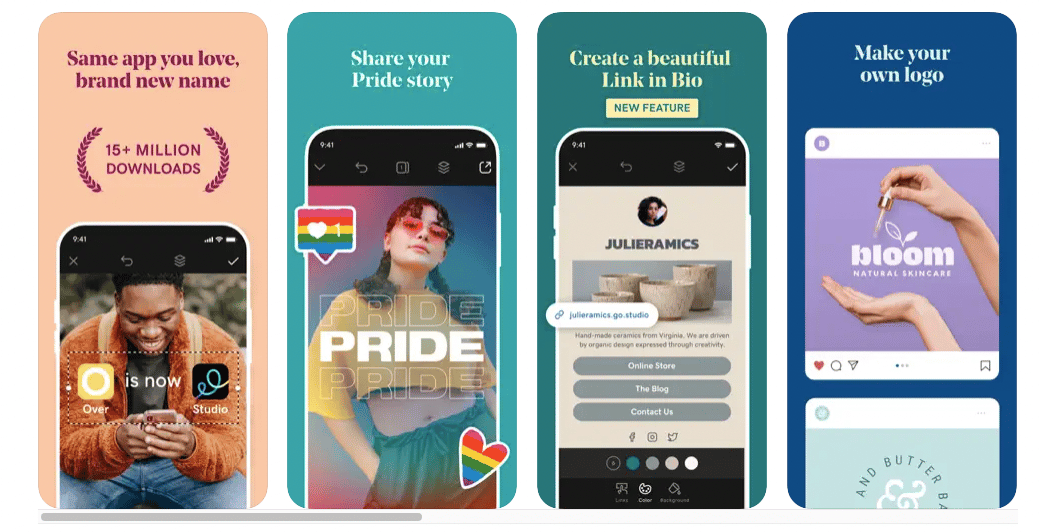
Source: GoDaddy Studio on App Store
Best for: Easy graphic design tools
GoDaddy Studio (formerly Over) lets anyone be a graphic designer with easy-to-use design tools built for social. Use the GoDaddy Studio app for Instagram Stories to build new templates, add graphics to content, and make your Stories stand out with stickers. You can even build a logo!
Key features:
Remove background tool
Template, font, and image library
Blend video with images
Price: 7-day free trial then $14.99 per month
Download GoDaddy Studio: iOS and Android
A post shared by GoDaddy Studio | All-in-one design app (@godaddystudio)
19. PhotoGrid
Source: PhotoGrid on App Store
Best for: Crafting custom collages
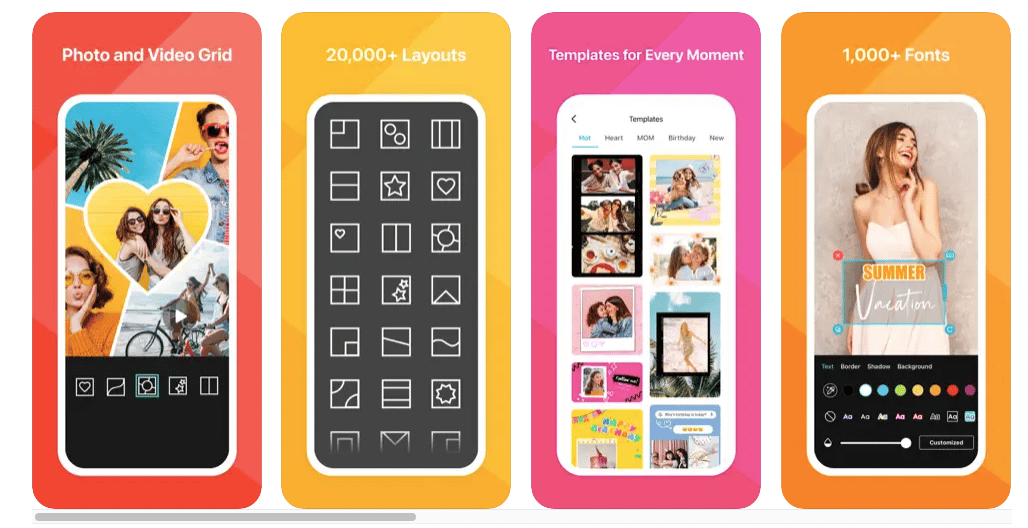
PhotoGrid is an app for Instagram Stories that helps you create custom layouts in a variety of shapes and feels. Just went on vacation? Create a collage of your best pics. Showing off your latest product features? Feature them all in a custom collage.
Plus, add custom fonts, text, and colors to make your content stand out.
Key features:
20,000+ custom layouts
1,000 fonts
Photo and video grid options
Custom stickers, backgrounds, borders, and more
Price: Free, with paid subscription options
Download PhotoGrid: iOS and Android
These are just a fraction of the tools available to make your Instagram Story pop. Download one, or download them all, but remember that apps for Instagram Stories are the perfect place to experiment—so get creative, try new things, and see what works best for your brand first-hand.
Ready to start saving time by scheduling your Instagram Stories? Use Hootsuite to manage all your social networks (and schedule posts) from a single dashboard.
Easily create, analyze, and schedule Instagram posts and Stories with Hootsuite. Save time and get results.
The post 19 Apps for Instagram Stories That Will 10X Your Views appeared first on Social Media Marketing & Management Dashboard.